

Plan OOH with the precision of digital

The StreetMetrics Intelligence Tool puts unit-level performance data, audience intelligence, and market benchmarks in front of every planning decision so recommendations are grounded in evidence, not instinct.

Book a Demo
Plan Manager overview showing bar charts and pie charts

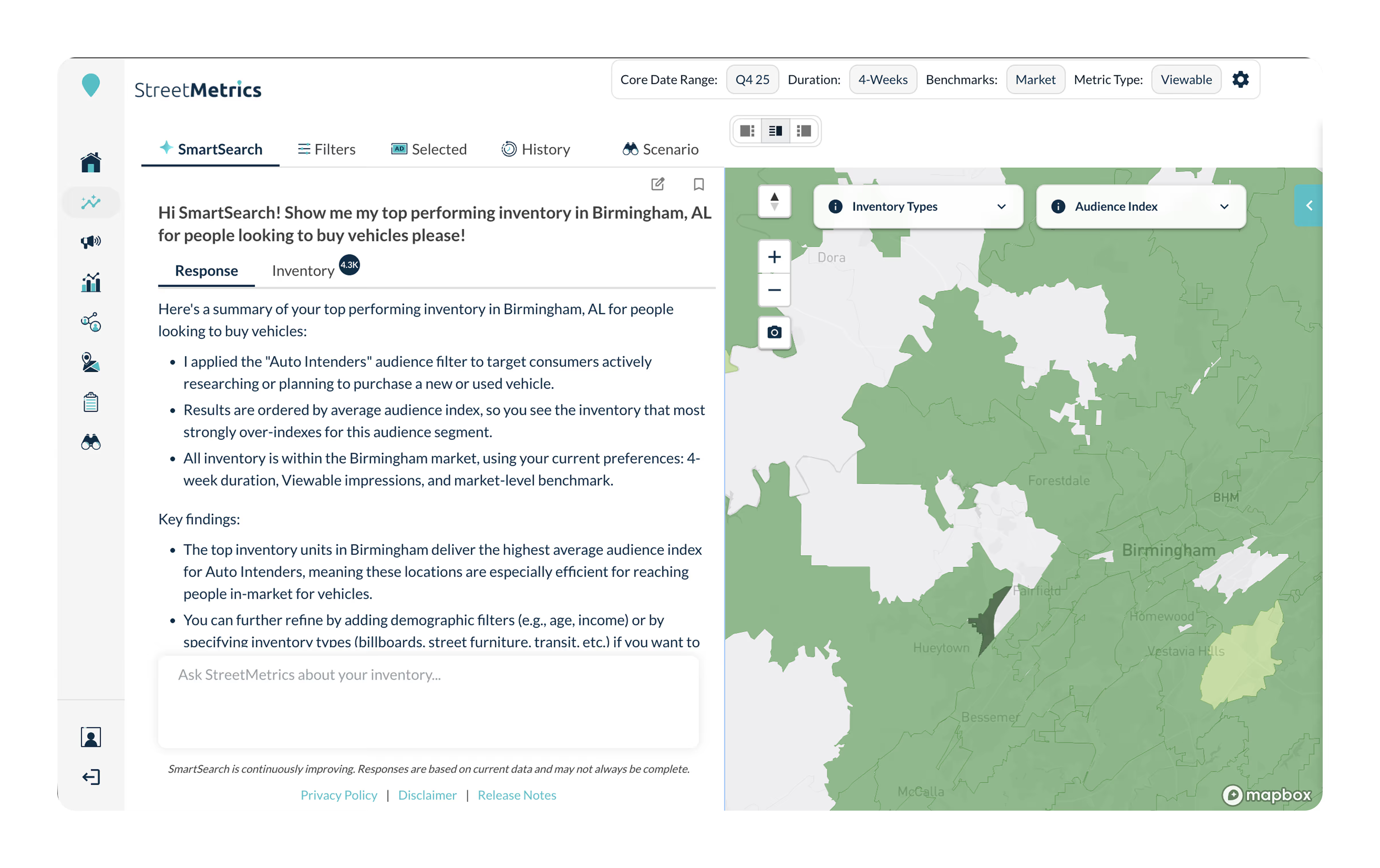
Find the right inventory before the RFP goes out

SmartSearch lets planners and sellers filter and rank OOH units by asset performance, audience demographics, impression volume, and campaign objective. Stop estimating which units perform. Start knowing, backed by the same historical mobility data that powers post-campaign measurement.

  • Detailed unit-level performance data across the inventory you care about
  • Filter by DMA, format, audience profile, or campaign objective
  • Side-by-side unit comparison
  • Export-ready media plan output

What you plan with is what you measure with

Most OOH planning data and measurement data come from completely different sources. That's why planned impressions rarely match delivered impressions. StreetMetrics runs planning on the same historical mobility data used for campaign reconciliation so the reach and frequency curves you model before the buy are methodologically identical to what you report after it closes.

This isn't just more accurate planning. It's accountability built into the process.

See the methodology

Reach the audiences that matter, not just the intersections

Layer 150+ behavioral and demographic audience segments directly onto your inventory search. Plan by who your campaign needs to reach, not just where the boards happen to be located.

  • 125 behavioral segments plus standard demographic cuts via Accretive
  • Audience indexing by unit and market
  • Demographic composition overlays at the unit level

Plan around the places that matter to your advertiser

SmartSearch lets you filter OOH inventory by proximity to specific points of interest: the stores, restaurants, gyms, and retail locations your advertiser's campaign needs to reach. Search by brand name, industry category, or natural language query and see which units sit closest to the locations that drive results.

  • Filter inventory by brand name or industry category within 1 to 10 miles
  • Natural language POI search in SmartSearch (e.g., "boards within 3 miles of Target in Dallas")
  • POI map overlay showing inventory alongside nearby locations
  • Nearby POI details for each unit with distance, brand, and industry

Plan OOH like a channel that holds itself accountable.